Each card below is a free standalone download, and every one of them is also included in the free PySuperApp bundle.
Bundle overview
PySuperApp
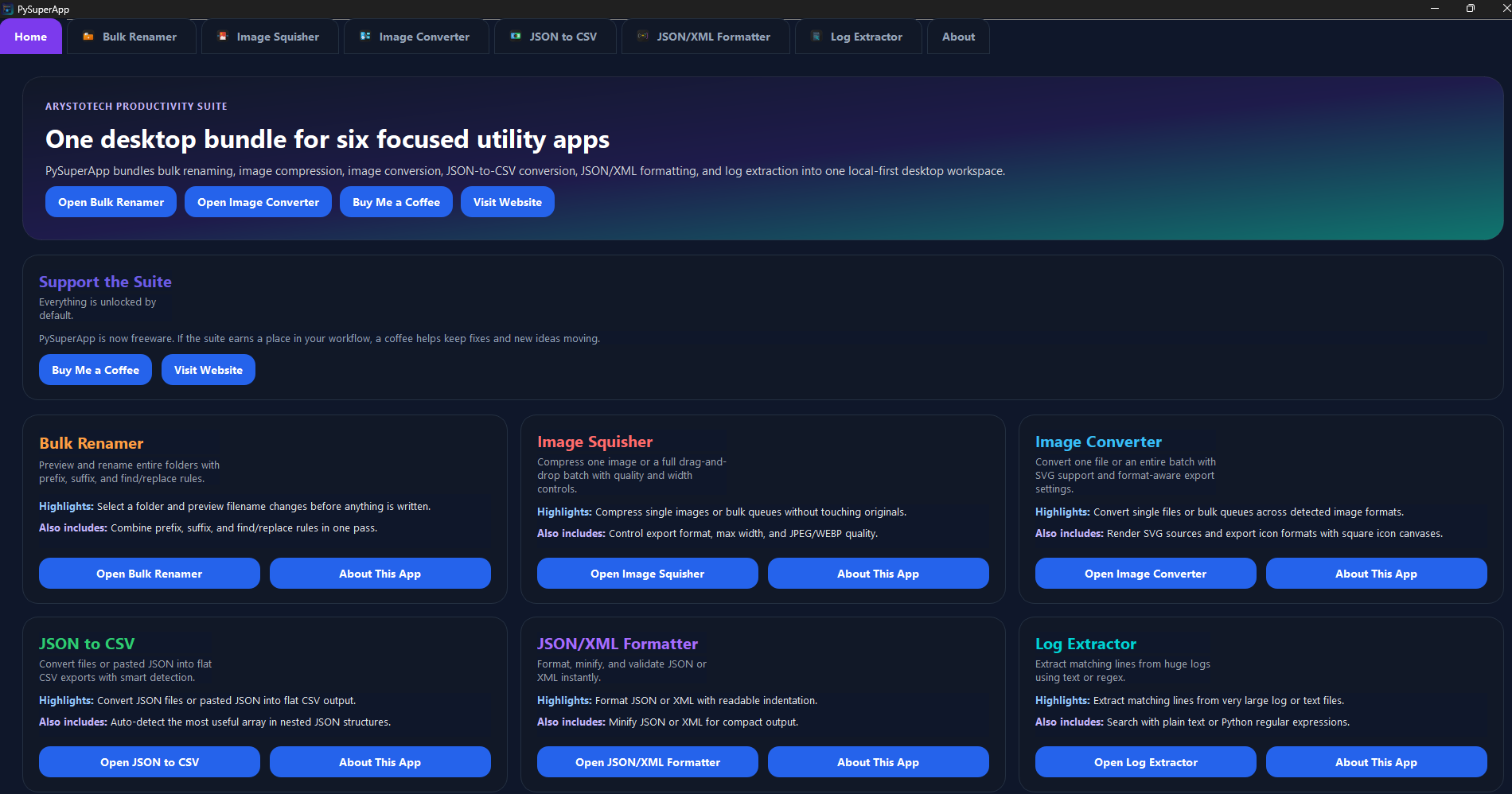
The bundle app groups every utility workflow into one consistent interface, so users can move from file cleanup to image compression, image conversion, JSON/XML formatting, and log work without juggling separate installers.
- Launches all six included apps from one home experience instead of separate executables.
- Keeps the lineup easy to understand: one free bundle app, six focused workflows.
- Acts as the main give-back download and first touchpoint for new ArystoTech users.
Best for: Anyone who wants the entire toolkit in one free desktop app.
Batch renaming focused on previewing every filename change before anything is applied.
- Shows original and proposed filenames side by side.
- Supports prefix, suffix, and find-and-replace rules together.
- Stops conflicting names from being applied blindly.
Best for: Cleaning up large folders and standardizing naming patterns safely. Also included in PySuperApp.
Local image compression and conversion for reducing size without leaving the desktop.
- Exports to JPEG, PNG, or WEBP with format-aware handling.
- Lets users set maximum width and output quality.
- Reports the space saved after processing.
Best for: Shrinking image folders for storage, sharing, or web delivery. Also included in PySuperApp.
PyImageConverter
Free app
Format-aware image conversion for one-off exports or drag-and-drop bulk queues, including SVG inputs.
- Converts one image at a time or processes an entire batch queue recursively.
- Supports SVG rendering, runtime-detected image formats, and automatic unique output names.
- Includes quality, matte, icon canvas, and smaller-file optimization controls where they matter.
Best for: Re-exporting mixed image sets into the right format without a separate desktop converter. Also included in PySuperApp.
PyJson2CsvConverter
Free app
JSON-to-CSV conversion that works from files or pasted payloads and flattens nested data.
- Accepts either a JSON file or direct pasted JSON text.
- Tries to detect useful record arrays inside nested structures.
- Exports flattened rows with configurable delimiters.
Best for: Turning API payloads or exports into spreadsheet-friendly data. Also included in PySuperApp.
PyJsonXmlFormatter
Free app
Format, minify, and validate JSON or XML instantly from one focused desktop utility.
- Formats JSON or XML with readable indentation.
- Minifies JSON or XML when compact output matters more.
- Validates input and warns the user when the content is invalid.
Best for: Fast JSON or XML cleanup while debugging, documenting, or validating payloads. Also included in PySuperApp.
Targeted log searching for pulling matching lines out of large files with text or regex rules.
- Scans line by line instead of loading the full file into memory.
- Supports both plain text searches and compiled regular expressions.
- Writes matches to a separate output file for review.
Best for: Isolating errors, codes, IPs, or other patterns from large logs. Also included in PySuperApp.